
 Download
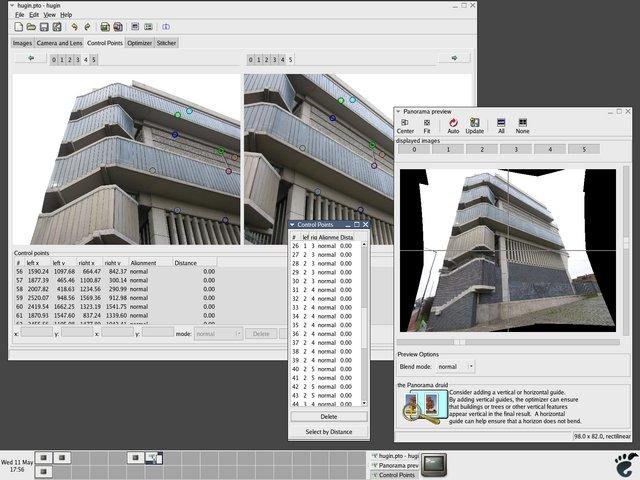
With Hugin you can assemble a mosaic of photographs into a complete immersive panorama, stitch any series of overlapping pictures and much more.
Features
- panorama
- stitching
- overlapping images
Project Samples
Categories
Image ConvertersLicense
GNU General Public License version 2.0 (GPLv2)Follow Hugin
Other Useful Business Software
Best Visitor Management System
<p class="mb-4">Do stacks of paperwork pile up at the front desk area? Or are your receptionists constantly filing reports, guest log-in information and NDAs – taking them away from other important tasks? Not anymore! Our Visitor Management System automates all these processes, streamlining your workflow. Guests can complete inductions, sign NDAs, fill in their contact details and much more using the easy software. These records are then automatically filed and stored, making life easy for receptionists and the HR team. Claim your FREE 7-day trial and experience how VisitUs can transform your workplace!</p>
Rate This Project
Login To Rate This Project
User Reviews
-
Despite some negative comments, version 2024.0.1 works on Mac M1 with macOS Sequoia 15.6.1. However, the installation isn’t as smooth as it should be: make needs to be installed separately, and the pto2mk component is requested when launching the tool, but it cannot be installed because it’s obsolete. Thanks to Copilot, which helped me solve the issue, I was able to continue with the installation: it pointed out that pto2mk has been replaced by a newer component (hugin_executor), and by renaming it, I eventually managed to make the new component visible at startup in place of the old one and use the Panorama tool.
-
Can't even get past the installation process. Always needs to restart in the middle of installation and still shows it even after the restart. After clicking OK, the installation finishes but it fails. It's on Windows 10 22H2.
-
Current version unusable on M1 silicon Mac - as others have noted, can't get past tip of the day
-
As @stokestack said on his review, the MAC version is not usable. The daily tip window comes up and if you try to close that window, you get a spinning beach ball and you have to Force Quit the program. I have downloaded and been able to use Hguin before, so there has to be something wrong with this download. May we please get this corrected?
-
Mac builds of Hugin There is a Google group (mailing list) “hugin and other free panoramic software”. The macOS version of Hugin is also discussed, and an unofficial Apple Silicon / Intel version of Hugin 2024.0.1 has been testing. Although some features are not available, it is working good. Search groups.google.com/g/hugin-ptx



